SimulatorSport

Is EA Sports College Football 27 Down?

See if EA Sports College Football 27 servers are up, check recent outages, and read the latest game news.

Latest updates

News & Patch Notes

All EA Sports College Football 27 news

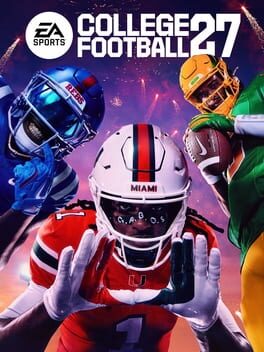
EA Sports College Football 27

Known issues, available workarounds, and what our team is investigating.

![Known issues, available workarounds, and what our team is investigating.](https://clan.fastly.steamstatic.com/images/46151446/8b9b8d9e901717c0534d619113fbe9714517dcc4.jpg) Welcome to the College Football 27 PC launch! Our team is actively monitoring player feedback and working on future updates. Below is a list of the stability, crash, and performance-related issues we are currently tracking and investigating for the PC version of the game, along with temporary workarounds where available. ## Crashes, Freezes, & Stalls - **Road to Glory Team Selection Crash ** - ** Issue: ** The game may crash when attempting to enter the team selection screen in Road to Glory if you have the "** High School Experience **" setting turned off. - ** Workaround: ** To bypass this crash, ensure the High School Experience option is turned On when starting your new Road to Glory career. - ** DirectX and Graphics Device Errors ** - ** Issue: ** Some players may encounter DirectX errors or device creation failures on startup. This is particularly common on PCs with hybrid graphics setups (laptops with both an integrated GPU and a dedicated graphics card) or hardware running below minimum specifications. - ** Workaround: ** Manually force your computer to run the game on your high-performance dedicated graphics card. You can do this by going to ** Windows Graphics Settings **, adding the game's executable, and selecting ** High Performance **. Additionally, please ensure your graphics card drivers are updated to the newest available release. - ** Anti-Cheat Security Stalls ** - ** Issue: ** On systems running close to or below minimum specifications, severe system stalls (such as those lasting longer than 10 seconds) may cause the game's background security client to terminate the session, closing the game. - ** Workaround **: To prevent resource starvation, close heavy background processes, web browsers, and other applications before launching the game. Ensuring the game is installed on a fast SSD can also mitigate loading stalls. - ** Memory Leaks from Extended Background Sessions ** - ** Issue: ** Leaving the game running in a minimized, hidden, or background state for several consecutive hours can lead to excessive memory accumulation, eventually causing a graphics driver failure or a game crash. - ** Workaround **: Avoid leaving the game minimized or suspended for long periods. If you plan to be away from your PC for an extended duration, save your progress and close the application. - ** Practice Mode Crash (Ultimate Team) ** - ** Issue **: Experiencing a network disconnection while actively participating in an Ultimate Team Practice session can occasionally trigger a game crash rather than returning you gracefully to the main menus. - ** Career Load/Exit Loading Stalls ** - ** Issue: ** Players may experience occasional long loading screen freezes (stalls exceeding 20 seconds) when loading into or exiting Career modes. - ** Workaround: **If the game appears to freeze during these transitions, please allow up to 30 seconds for the asset loading system to complete its tasks. If the screen does not progress after this point, a game restart is required. - ** General Rendering & Shadow Failures ** - ** Issue: ** We are investigating rare, hardware-specific graphics processor crashes linked to shadow rendering and pipeline state compilation during active gameplay. - ** Network Disconnection Hang ** - ** Issue **: Severe online network disconnections can occasionally cause the game client to hang indefinitely while attempting to clean up background network queues. - ** Graphics Pipeline Compilation Freeze ** - ** Issue: ** Toggling menu screens rapidly can trigger a brief game lockup while the graphics engine dynamically compiles un-cached pipeline assets. - ** Dynasty Mode Exit Hang ** - ** Issue: ** Exiting Dynasty Mode back to the main menu can occasionally trigger a game hang due to background asset streaming conflicts. - ** Road to Glory Simulation Moment Lock ** - ** Issue: ** In Road to Glory, during simulations of moments where your custom player is not active on the field, the game may get stuck on simulation screens instead of skipping to the next playable play. - ** EA Play Trial Entitlement Issue ** - ** Issue: **We’re aware that some players ran into an issue over the weekend when trying to access the EA Play trial on Steam. ** This issue has now been resolved **, and you should be able to launch the trial as expected. If you were affected, please try launching the game again. We apologize for the disruption and appreciate your patience while we worked through it over the weekend. - ** Deluxe Edition Availability Issue ** - ** Issue: **Users are having trouble with the game not being available despite owning the Deluxe Edition. - ** Workaround: ** Players likely need to restart Steam (perform a full close and reopen). ## Multiplayer Connection Desynchronization - **"Play a Friend" Connection Desynchronization ** - ** Issue: **Players may experience an immediate desynchronization error and be returned to the main menu shortly after coming out of the loading screen in a "Play a Friend" match. This is often caused by mismatched local roster files disagreeing with server data. - ** Pre-Play Adjustment Desynchronization ** - ** Issue: **In rare online situations, rapid pre-play adjustments, audible calls, or defensive shifts immediately before the snap can trigger input mismatches between players, leading to a match desync. ## Performance & Rendering Hitching - ** Window Mode Transition Sluggishness & Multi-Monitor Hitching ** - ** Issue: ** Toggling between Windowed, Full Screen, and Borderless settings in the Graphics menu can cause brief screen freezes, input delays, and high CPU usage. Additionally, using a mouse and keyboard in Fullscreen mode on multi-monitor setups may cause performance hitching when moving the cursor across screens. - ** Workaround: **For players using multiple monitors or who frequently switch between active apps, running the game in Borderless Windowed mode instead of Fullscreen will prevent transitional freezes and keep performance stable. - ** Strand Hair Render Thread Hitching ** - ** Issue: **During character load-in or customization screens, simultaneous generation of multiple high-detail Strand Hair objects can briefly lock up the render thread, causing a noticeable loading movie freeze or skip. - ** Edit Player Ratings Hover Lag ** - ** Issue: ** In the "Manage Players" Edit Player screen, hovering your mouse cursor over the vertical list of player ratings options can trigger significant menu lag and frame rate drops. - ** Workaround: ** Use a controller or your keyboard's arrow keys to scroll through player ratings smoothly. - ** Manage Practice Player Stats Hover Freeze ** - ** Issue:** Moving your mouse cursor over player stats rows in the Dynasty "Manage Weekly Practice" screen can lock up the menu, preventing further navigation of practice reps. We want to hear your feedback on EA SPORTS College Football 27. Please click here for details on how to share your feedback with us. Stay in the conversation by following us on [Facebook](https://steamcommunity.com/linkfilter/?u=https%3A%2F%2Fwww.facebook.com%2FEASPORTSCollege%2F), [Twitter](https://steamcommunity.com/linkfilter/?u=https%3A%2F%2Fx.com%2FEASPORTSCollege%3Flang%3Den), [Instagram](https://steamcommunity.com/linkfilter/?u=https%3A%2F%2Fwww.instagram.com%2Feasportscollege%2F), [YouTube](https://www.youtube.com/@EASPORTSCollege), and [EA Forums](https://forums.ea.com/category/ea-forums-en).

Read article

EA Sports College Football 27

Welcome to EA SPORTS College Football 27 on PC

![Welcome to EA SPORTS College Football 27 on PC](https://clan.fastly.steamstatic.com/images/46151446/8f698ba70f278be297dc8428e2787a753bb76443.jpg) Greetings, PC Players! On behalf of the studio team here in Orlando, we want to welcome you to the PC version of EA SPORTS College Football 27! EA SPORTS College Football 27 marks a historic milestone as the franchise makes its debut on PC for the first time this generation. PC players can get in on the action with 3-day Advanced Access on July 6 by pre-purchasing the Deluxe Edition or MVP Bundle ahead of the Worldwide Launch on July 9. EA Play members can try the game for up to 10 hours beginning on July 2. We're thrilled to welcome PC players to the field and can't wait for you to experience college football like never before. College Football is a sport like no other, with the pageantry, chaos and traditions that we all love. Dial up those graphics settings and choose a school as you begin your journey to the NFL. Lock down that 5-star QB and make a run at a National Championship at a smooth 60 FPS in Widescreen. Embarrass your friend in a “friendly” matchup between The Duck and Butch T. Cougar in Mascot Mashup. No matter how you play EA SPORTS College Football 27, we can't wait to see you on the field! In this PC Deep Dive we’re going to be breaking down all of the settings options you’ll have available to you when you kickoff your College Football season on PC for the first time. ![Patch notes image](https://clan.fastly.steamstatic.com/images/46151446/db31759324bd948f2c0ff353e5849ccf5efe39d9.jpg) **Display Settings ** ![Patch notes image](https://clan.fastly.steamstatic.com/images/46151446/a654ef5a16ccf15fe7c231e9064f21028060dc9a.png) ** Window Mode ** Choose how the game appears on your screen. Fullscreen uses the entire display and is often best for performance and focus. Borderless Window fills the screen without a window border, making it easier to switch between apps or monitors. Windowed runs the game in a movable, resizable window. ** Fullscreen Monitor ** Select which connected display the game should use when the window mode is fullscreen. This is helpful for players with multiple monitors, such as a gaming monitor, TV, or streaming setup. ** Resolution ** Sets the image size the game renders to your display when the window mode is fullscreen. Higher resolutions, such as 1440p or 4K, can make players, uniforms, stadiums, and field details look sharper, but they also require more graphics performance. Lower resolutions can improve frame rate on less powerful systems ** Monitor Refresh Rate ** Select how often your monitor updates the image each second. Higher refresh rates can make gameplay feel smoother and more responsive, especially if your PC can produce enough frames to match them. ** Frame Rate Cap ** Sets the maximum frame rate the game will target. A lower limit can reduce hardware load and help keep performance stable. A higher limit can make gameplay feel smoother on high-refresh-rate displays. Auto options use different limits for gameplay and cutscenes, such as Auto (60/30) will run at 60FPS during gameplay and 30FPS during cutscenes, to balance responsiveness and presentation. ** Global Visuals ** Applies an overall visual quality preset for the game, such as Low, Medium, High, or Ultra. Auto chooses a starting point based on your hardware. When you adjust individual advanced graphics settings, this may change to Custom, which simply means your settings no longer match one of the standard presets exactly. ** Cutscene Visuals ** Controls the overall visual quality used during non-interactive cinematic moments. This lets you tune cutscenes separately from gameplay, which can be useful if you want smoother on-field action while keeping cinematic moments at higher visual quality. ** Advanced Settings ** ![Patch notes image](https://clan.fastly.steamstatic.com/images/46151446/de9903fed8ceed4be8df129427673fdd59124e93.png) ** Vsync ** Synchronizes the game’s frame output with your monitor to help reduce screen tearing. Turning VSync on can create a cleaner-looking image, while turning it off may reduce input latency depending on your system and display. ** HDR ** Enables High Dynamic Range when supported by your display and Windows settings. When set to Auto, the game will use HDR if your system is configured for it, delivering brighter highlights, deeper contrast, and more vivid stadium lighting. If HDR is not available, the game will run in standard dynamic range. ** Graphics Adapter ** Selects which GPU the game uses. This is most useful on laptops or desktops with more than one graphics processor, such as integrated graphics plus a dedicated GPU. ** Performance Overlay ** Shows a simple frame rate counter. This is useful for checking how smoothly the game is running after changing visual settings. ** Raytraced Lighting ** Turns advanced lighting on or off for hardware with ray tracing support. When enabled, lighting can appear more realistic, with improved light bounce and stadium illumination. Turning it off uses a simpler lighting approach that can improve performance. ** Lighting Quality ** Controls the overall detail and accuracy of lighting throughout the game, including stadium lights, sunlight, shaded areas, and how light interacts with players and the field. Higher settings can make the scene look more natural but may reduce performance. ** Advanced Hair ** Improves the appearance and movement of player hair by using more detailed strand based hair rendering on supported characters. Higher settings can show this effect on more players and with greater fidelity. Lower settings reduce the effect to improve performance. ** Sideline Quality ** Adjusts the number and quality of characters shown along the sidelines. Higher settings make the stadium environment feel more active and authentic, while lower settings can improve performance by reducing background character detail. ** Higher Texture Quality ** Uses more detailed textures for surfaces such as uniforms, helmets, field materials, equipment, and stadium elements. This can improve close-up clarity, especially at higher resolutions, but may require more video memory. ** Gameplay and Cutscenes Visual Quality Settings ** ![Patch notes image](https://clan.fastly.steamstatic.com/images/46151446/0a2e4c5313072398b9315395c25b2539f7d737d7.png) The following options are available for both gameplay and cutscenes. Gameplay settings affect active play on the field, while cutscene settings apply only to non-interactive cinematic moments. This allows players to prioritize smooth gameplay while choosing a different level of visual quality for presentation sequences. ** Mesh Quality ** Controls the geometric detail of 3D objects such as players, equipment, stadium structures, and field elements. Higher settings improve object detail, especially up close, while lower settings can improve performance. ** Crowd Quality ** Adjusts the visual detail of the stadium crowd. Higher settings create a more lively game-day atmosphere, while lower settings reduce background detail to help performance. ** Shadow Quality ** Controls the clarity and detail of shadows from players, stadium structures, goalposts, and other objects. Higher settings create more realistic shadows, while lower settings can improve performance. ** 3D Grass ** Adds individual 3D blades of grass level detail to the field. Turning this on can make the turf look richer and more realistic, while turning it off can improve performance. ** VFX Quality ** Adjusts the quality of visual effects such as impacts, weather-related effects, celebrations, field-level atmosphere, and other presentation elements. Higher settings improve effect detail but may increase GPU load. ** Ambient Occlusion ** Chooses the method used to add soft contact shadows where objects meet. This helps players, uniforms, equipment, and field details feel more grounded in the scene. SSAO is the more performance-friendly option, while GTAO provides richer depth. ** Ambient Occlusion Quality ** Sets how detailed the ambient occlusion effect appears. Higher settings improve subtle shadowing around players, turf, equipment, and stadium objects. Turning it off can improve performance but may make the scene look flatter. ** Bloom ** Controls the glow around bright lights and highlights, such as stadium floodlights, sun glare, and bright reflections on helmets. ** Lens Flares ** Enables camera-like flare effects when looking toward bright lights or the sun. This can add a more cinematic or broadcast-style feel. ** High Res Circular DOF** Enables a higher-quality depth-of-field effect for out-of-focus areas. This is most noticeable during close-ups, replays, and cinematic presentation moments. ![Patch notes image](https://clan.fastly.steamstatic.com/images/46151446/1cf96a82b8d39db15e8a5fc76556e73bdc65226a.png) Why are there separate gameplay and cutscene options? Gameplay and cutscenes can have different performance needs. For example, you may want lower gameplay settings to maintain a smoother frame rate during active play, while using higher cutscene settings for replays, team entrances, close-ups, and other presentation moments. From campus legend to NFL superstar, make your rise across the MVP Bundle. Turn every touch into a highlight in EA SPORTS™ College Football 27 Deluxe Edition with streamlined pre-play control and explosive gameplay. Dominate in EA SPORTS™ Madden NFL 27 Deluxe Edition, where the all-new Persona Engine turns Franchise into a living, evolving league influenced by NFL athlete personalities. Stay in the conversation by following us on [Facebook](https://steamcommunity.com/linkfilter/?u=https%3A%2F%2Fwww.facebook.com%2FEASPORTSCollege%2F), [Twitter](https://steamcommunity.com/linkfilter/?u=https%3A%2F%2Fx.com%2FEASPORTSCollege%3Flang%3Den), [Instagram](https://steamcommunity.com/linkfilter/?u=https%3A%2F%2Fwww.instagram.com%2Feasportscollege%2F), [YouTube](https://www.youtube.com/@EASPORTSCollege), and [EA Forums](https://forums.ea.com/category/ea-forums-en).

Read article

EA Sports College Football 27

Pre-load College Football 27 now

![Patch notes image](https://clan.fastly.steamstatic.com/images/46151446/f4d9739447a7133b4bc761431fa57232ec4ac1d7.jpg) EA SPORTS™ College Football 27 is now available to pre-load! Be ready to play when the game launches on July 9, or play 3 days early when you pre-purchase* the Deluxe Edition or the MVP Bundle. Deluxe Edition also includes: - 4600 College Football Points - Exclusive Early Access Solo Challenges - 83 OVR BND Countdown player item (Choice of 1 of 5) - 81 OVR BND Cover Athlete Player Item (Choice of 1 of 3) - 1 Upgradable Player Item - 100 Dynasty Coach Points - 250 Road to Glory Skill Points MVP Bundle includes all of the above plus: - Madden NFL 27 - 4600 Madden Points - 1 Ultimate Team™ Evo Item - Exclusive Early Access Solo Challenges - Cover Athlete Elite Ultimate Team™ Player Item - 300 Franchise Points - 1 Superstar Legendary XP Boost *Conditions, limitations and exclusions apply. See [https://www.ea.com/games/bundles/mvp-plus-membership/game-disclaimers](https://www.ea.com/games/bundles/mvp-plus-membership/game-disclaimers) for details. [https://store.steampowered.com/app/4032350/EA_SPORTS_College_Football_27/](https://store.steampowered.com/app/4032350/EA_SPORTS_College_Football_27/)

Read article

EA Sports College Football 27

The Official Top 10 players in College Football 27

![Patch notes image](https://clan.fastly.steamstatic.com/images/46151446/7310057090a7ea99407bcb1920f54514b3456661.jpg) See all the player ratings [here](https://www.ea.com/games/ea-sports-college-football/ratings). Pre-purchase the Deluxe Edition or MVP Bundle for 3 days Advanced Access and more. [https://store.steampowered.com/app/4032350/EA_SPORTS_College_Football_27/](https://store.steampowered.com/app/4032350/EA_SPORTS_College_Football_27/)

Read article

EA Sports College Football 27

College Football 27 Team Ratings

![Patch notes image](https://clan.fastly.steamstatic.com/images/46151446/2c23eb00eb08d2c7e6d4aa38f57485faff5ad8b8.jpg) Check out the full official team ratings [here](https://www.ea.com/games/ea-sports-college-football/college-football-27/news/college-football-27-team-ratings). [https://store.steampowered.com/app/4032350/EA_SPORTS_College_Football_27/](https://store.steampowered.com/app/4032350/EA_SPORTS_College_Football_27/)

Read article

Game media

Trailers & Screenshots

Official YouTube channel

Visit channel

Trailer

5 Screenshots