Update Notice ver. 1.1.0
■Display Improvements
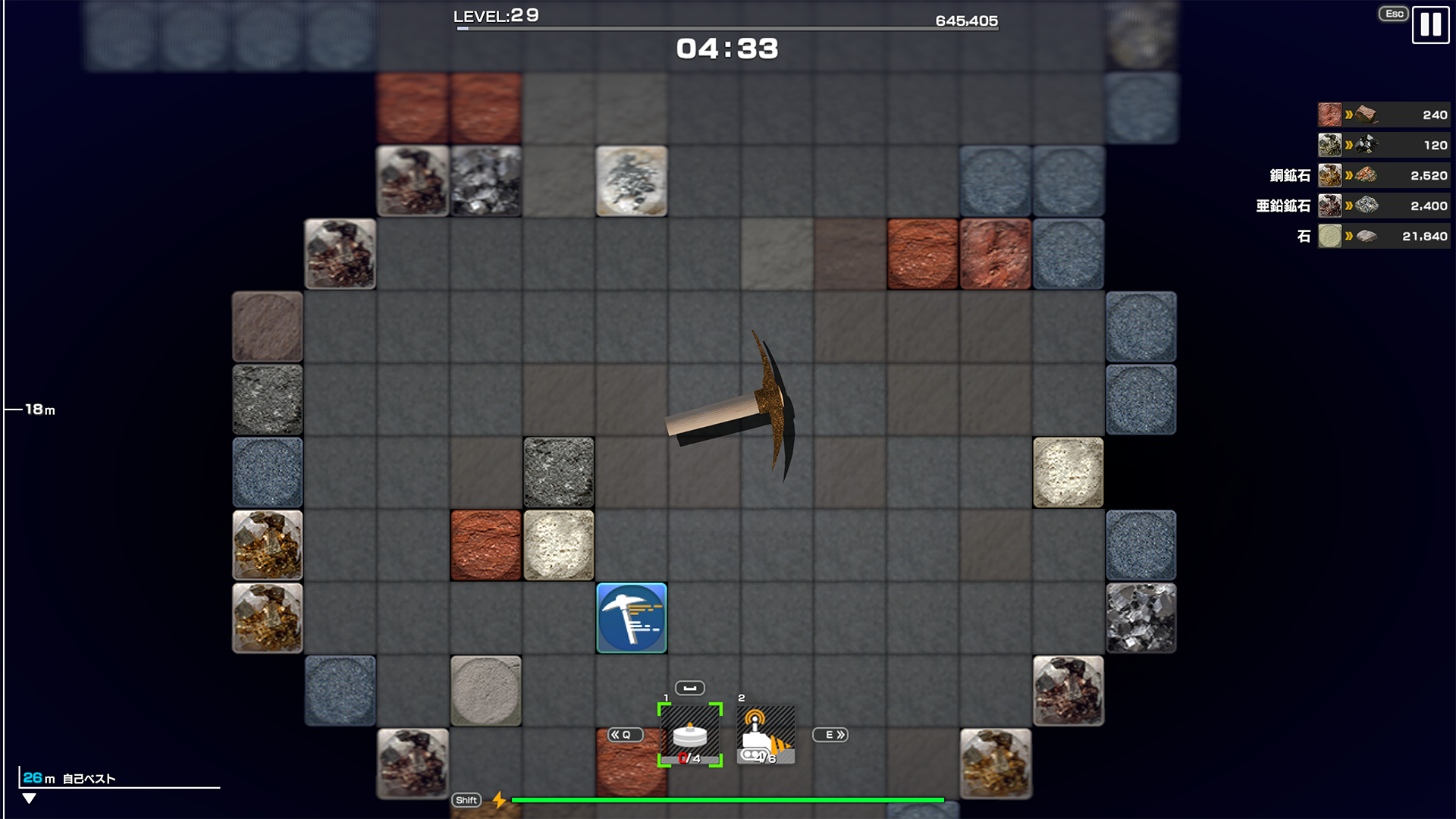
・Added resource names and chip images showing where resources were obtained to the resource display during Runs.
・Resource names can also be hidden in Advanced Settings.
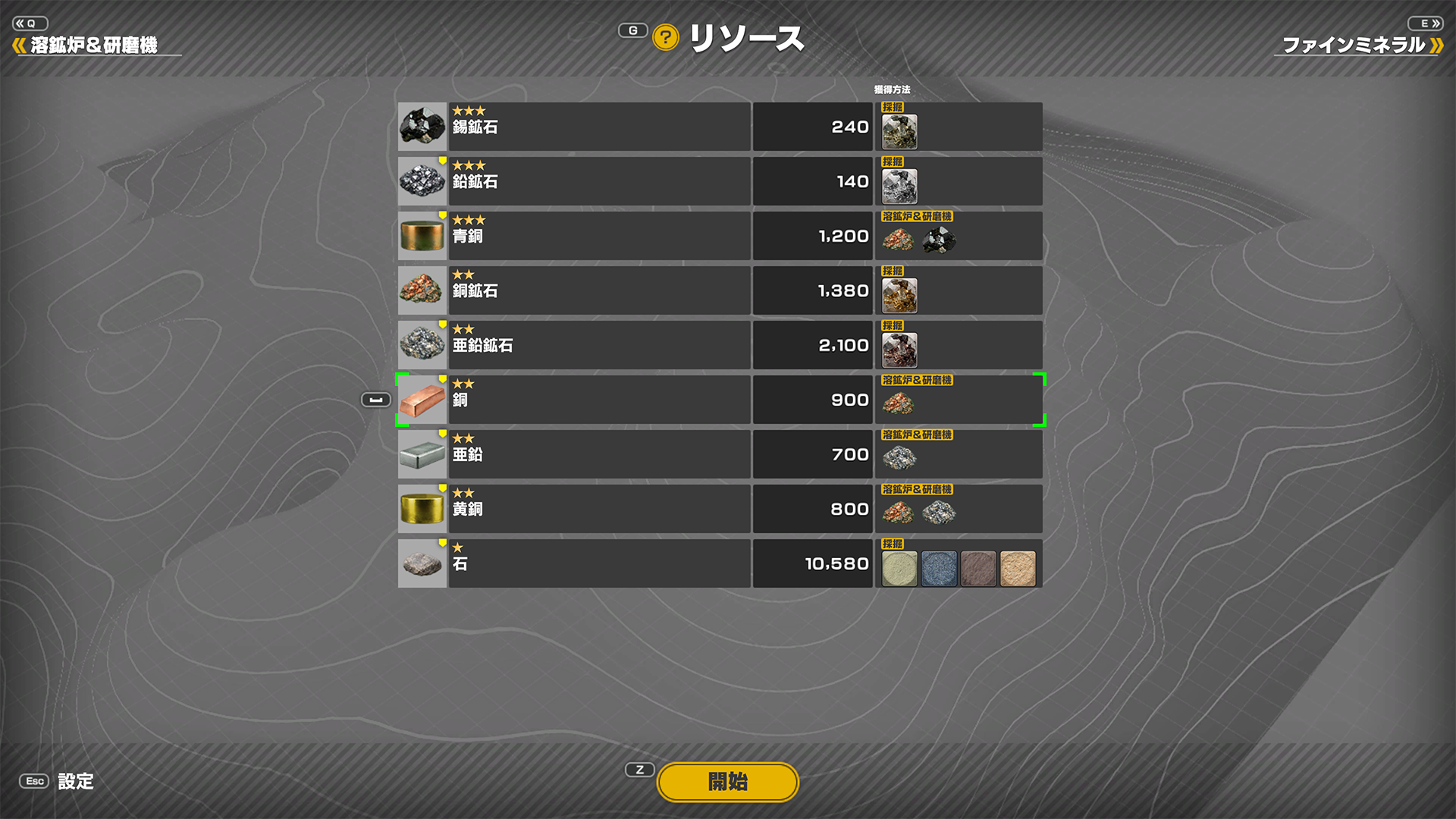
・Added information on how to obtain each resource to the Resources list.
・For “MINING,” chip images are displayed. For “SMELTER & POLISHER,” images of the source resources are displayed.
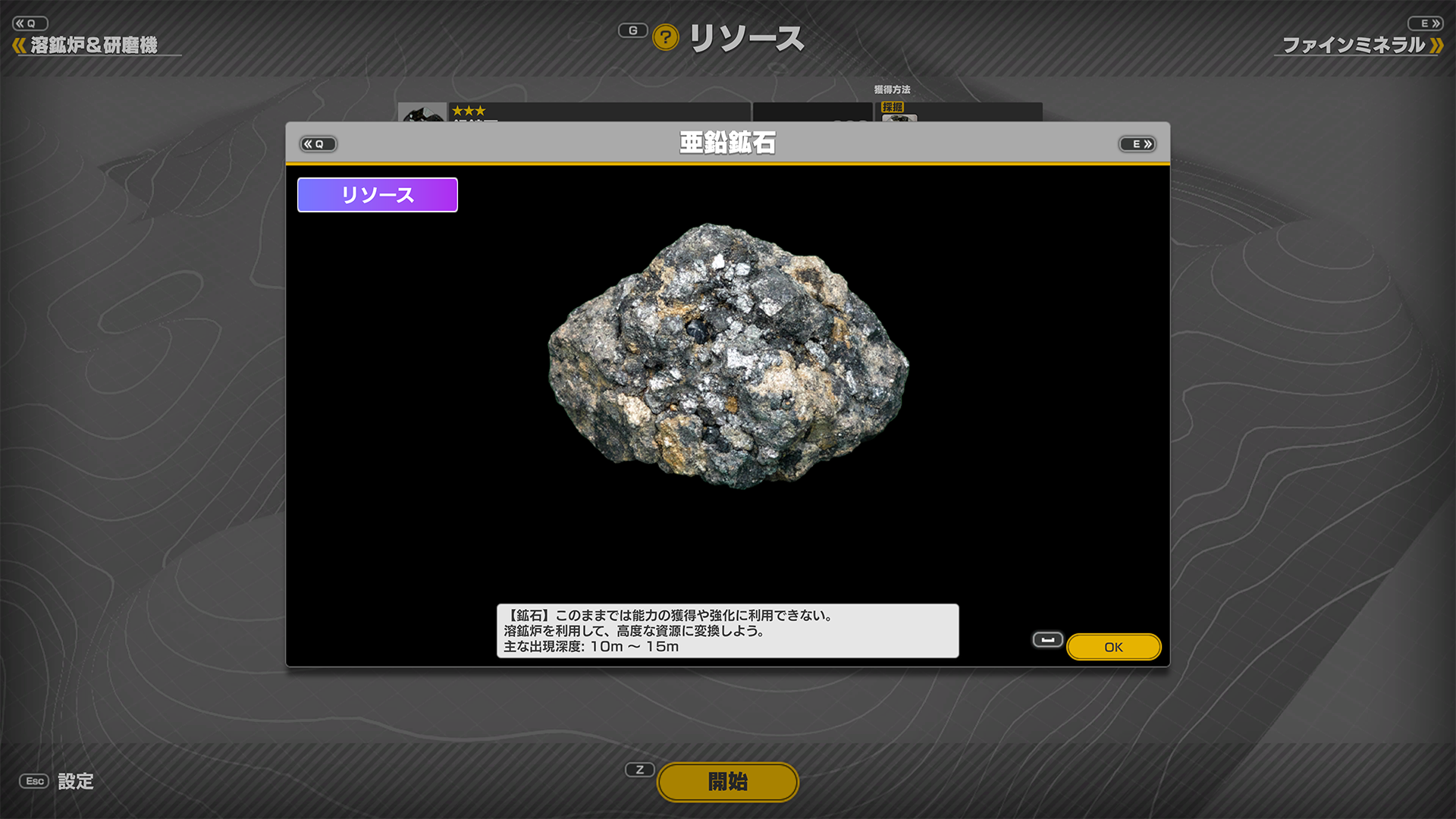
・Added the “Ore” label to Ore descriptions.
・Added the “Rough Stone” label to Rough Stone descriptions.
・Added “Main Depth Range” to Ore and Rough Stone descriptions.
・Made other minor display fixes.
■Gameplay Enhancements
・Reduced the amount of resources required to unlock the following Upgrades.
- Material Revolution: Copper
- Hyper Vibration I
- Gigantization I
- Linear Drone
5 .Micro Dynamite
・Reduced the time required to use “SMELTER & POLISHER.”
・Changed the prerequisite for “Recovery Optimization: Ore I” in the Skill Tree to “Exploration Time I.”
*The display position has also been slightly adjusted to reflect this change.
■New Convenience Features
・Added two features to “Advanced Settings.”
- When attempting to create a Drone, Dynamite, or other unit with [SPACE] or (Y), if the Creation Capacity is 0, select the unit one slot to the right and create it instead.
- Automatically move the Main Unit in the direction it last moved.
・Added a “Hide run start confirmation.” checkbox to the confirmation dialog displayed when starting a Run.
*This setting can also be changed in “Advanced Settings.”