News & Patch Notes
Troubleshooting for Voice Chat Issues

KILLER INNPublished: Jul 13, 2026, 3:00 AM
If you are experiencing issues with KILLER INN's in-game voice chat feature, please try the following steps.
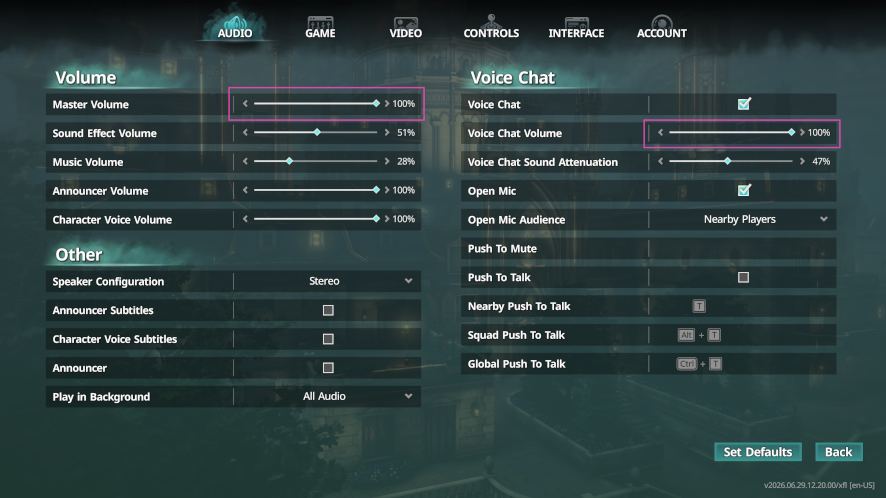
Voice Chat Volume Settings
OPTIONS → AUDIO
- Check if the Voice Chat Volume is set appropriately.
- Check if the Master Volume is set appropriately.
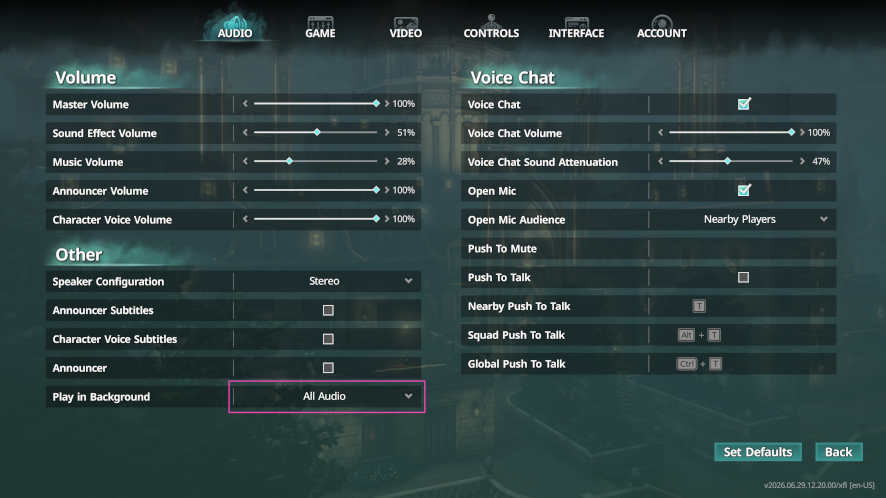
Audio Settings When the Game Window is Inactive
OPTIONS → AUDIO → Other → Play in Background
- Set this to "All Audio" so that the sound continues to play without interruption even when the game window is inactive.
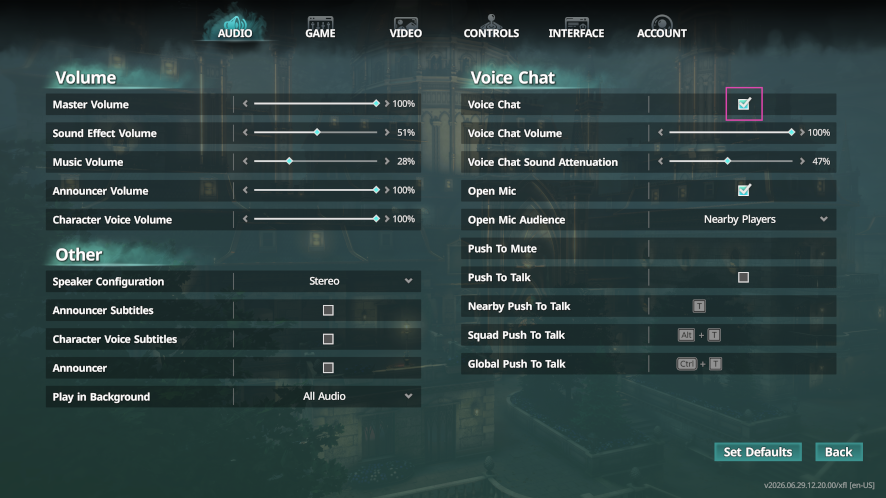
Voice Chat Checkbox
OPTIONS → AUDIO → Voice Chat
- Uncheck the box, then check it again.
- When doing this, the "Open Mic" and "Push To Talk" checkboxes will also be unchecked, so please re-enable them as needed.
Restart KILLER INN
- Close KILLER INN and launch it again.
Restart Steam
- Close Steam and launch it again.
Steam Settings
Steam → Settings → Voice
- Check if the correct audio input/output devices are selected.
- If your voice cuts out, set the "Voice Transmission Threshold" to "Off".
Windows Sound Settings
Windows → Settings → System → Sound
- Check if the correct output and input devices are selected.