News & Patch Notes
Solutions for launch error affecting non-English users

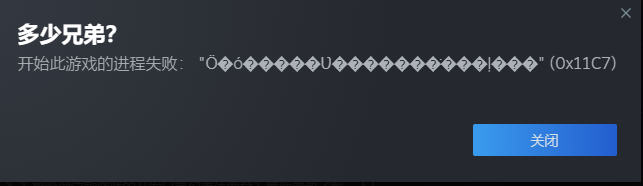
We have seen reports of launch error with the above prompt for non-English users. The solution is to turn off Windows 11 Smart App Control.
You can follow these steps:
- Open Windows Settings
- Go to "Privacy & Security".
- Click "Windows Security".
- Select "App & browser control".
- Click "Smart App Control settings".
- Choose "Off".