Accessibility Info for Launch
All aboard!
We’re stopping by in anticipation of release to share some insights into the accessibility features and settings that will be available from day one - July 15th! 🤝💡
We recognise that the players with disabilities in our community will want to start Emi’s adventure alongside everyone else. So, we’ve been gathering feedback from players with disabilities in our playtest sessions, and listening to your demo feedback. These findings have been used to drive the accessibility of our launch, and we’ll continue listening once* you* get into the driver’s cab, so we can both improve and expand features in the future.
For now, here’s what you can expect:
⚙️ Customizable Settings:
- Adjust Screen Effects
The following can be adjusted from 0-100% (100% as default): camera shake, bloom, blur, chromatic aberration, and speed lines.
- Subtitles
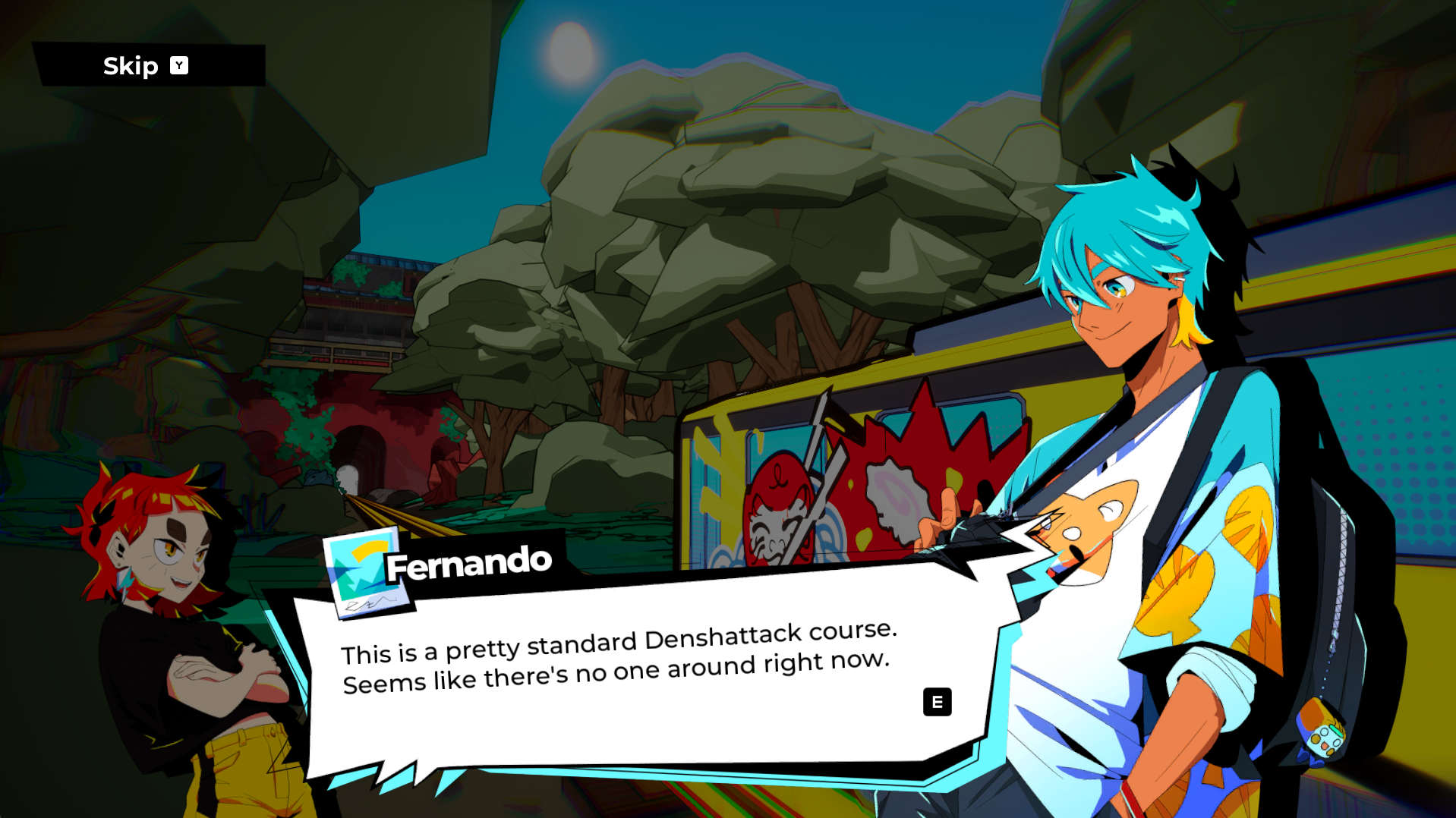
Subtitles for cutscenes can be turned on or off, as well as whether to show speaker name and subtitle background. All other character conversations utilize a white background with black plain text (or vice-versa), and can be progressed at your own pace.


- Audio Controls
There are 3 separate volume sliders, one for game music, voice acting, and sound effects respectively. Full voice acting is available in English or Japanese, and this can be chosen separately to your game language. You may also choose a separate language for the announcer (voice which commentates your driving) and other dialogue.
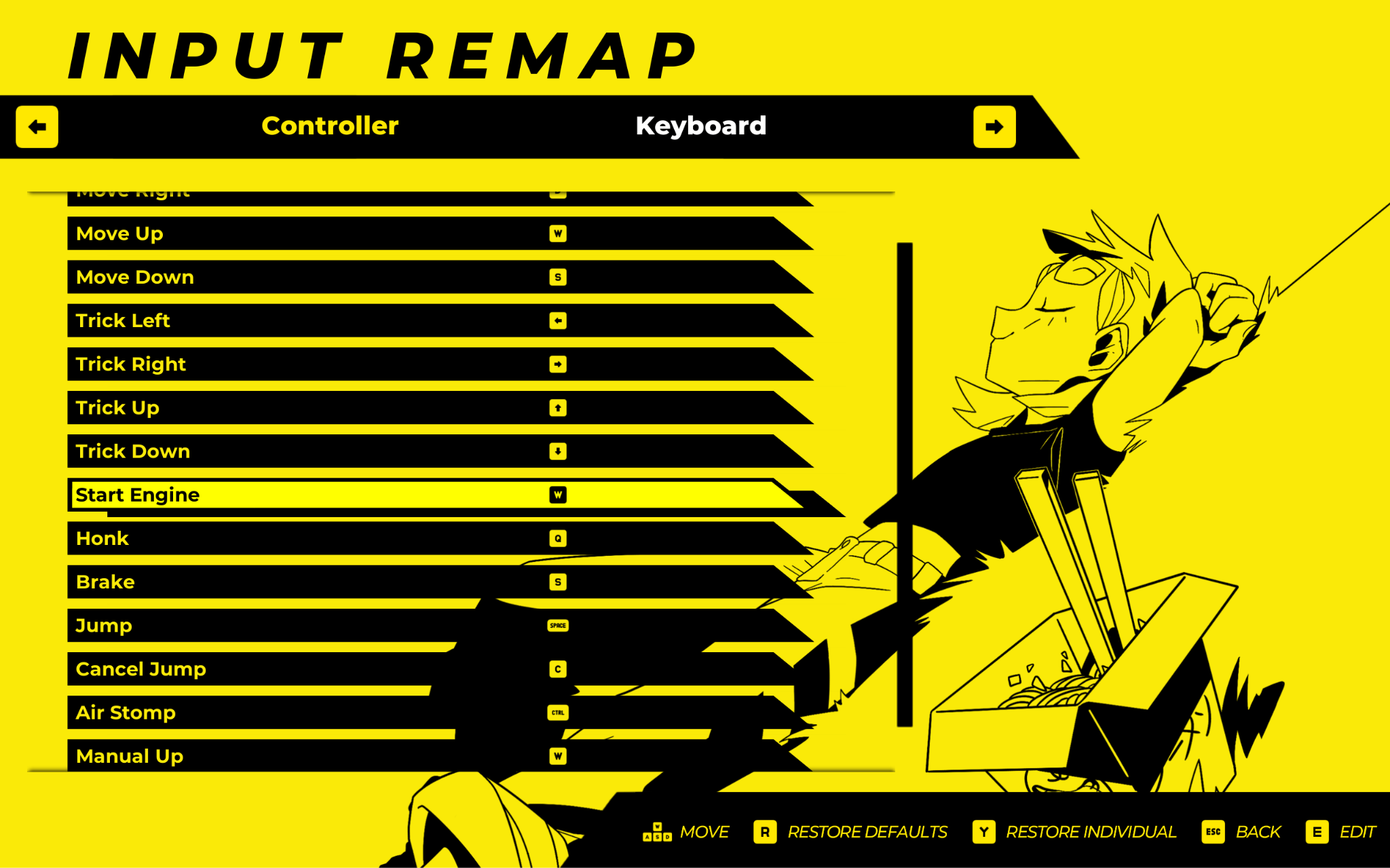
- Input Remapping
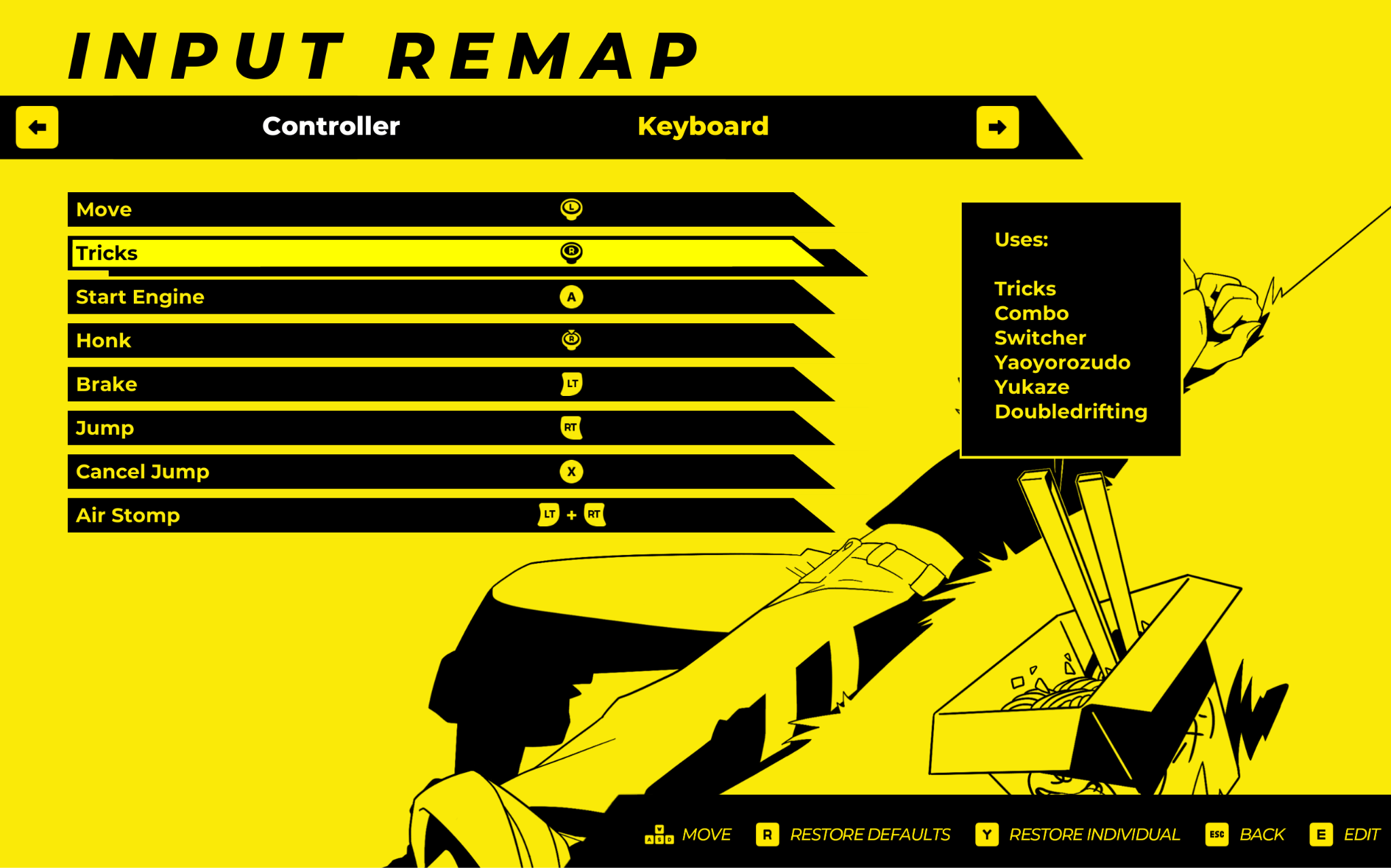
Inputs can be remapped for both controller and keyboard. Playing with a keyboard offers a higher level of granularity.
- Controller Vibration Intensity
Can be tuned from 0-100% (50% as default).
- Playable with Keyboard Only
The game requires no mouse inputs by default.
- Levels Playable with Buttons Only
The controls can be remapped to use only digital inputs. You could play the levels using a controller, without the use of the sticks or triggers. Currently, the world map navigation does require the left-stick when using a controller.
🎮 By Design:
- UI Font, Size & Contrast
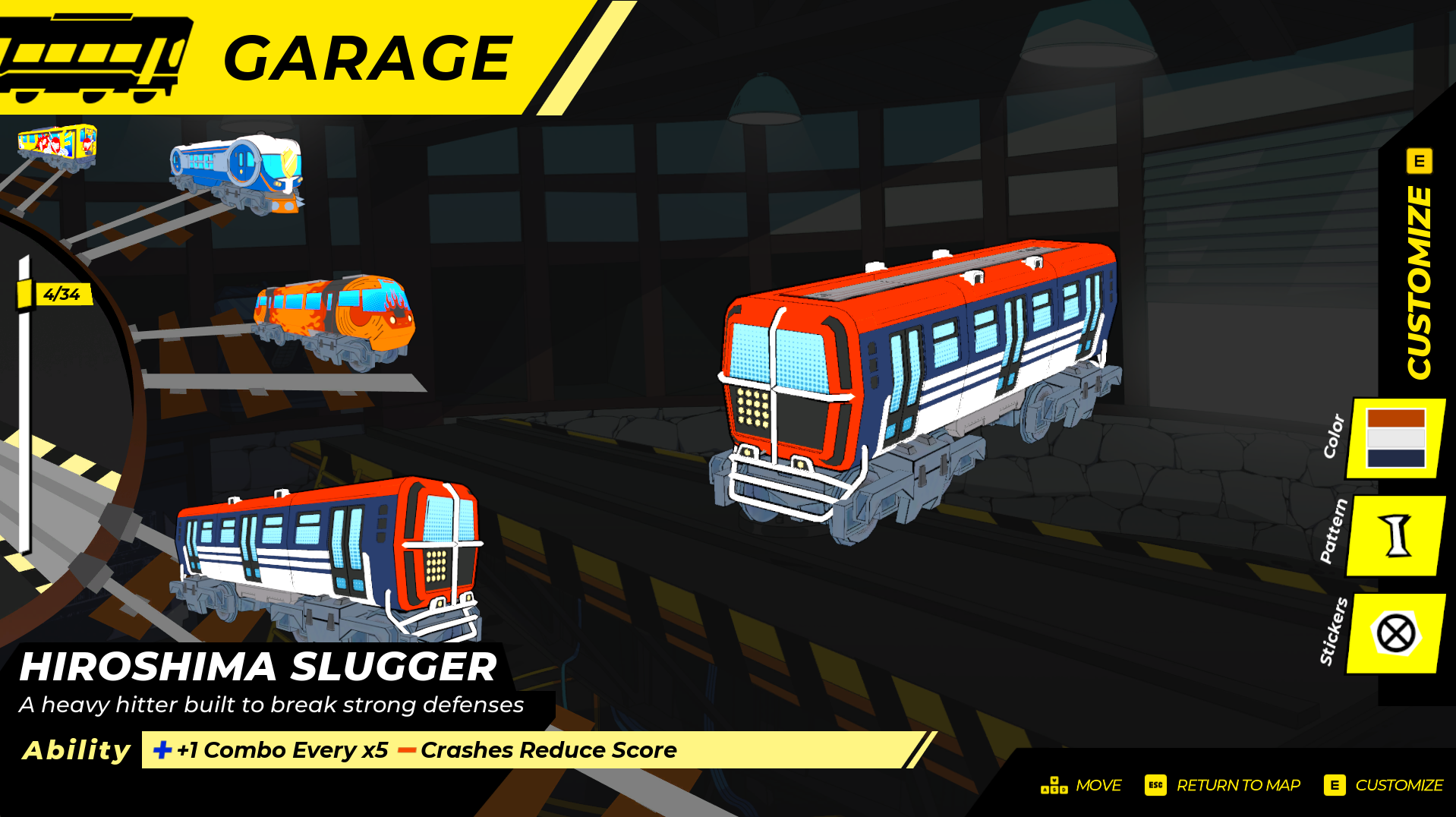
We have been mindful to design screens with a decent (and often large!) font size in mind, as well as sizable icons, progress bars and other UI elements. The text throughout the core experience also maintains a high contrast ratio, and contrast in environments has been a consideration throughout development, to aid with reading the world while moving at high speeds. The whole of the core UI uses a common, sans-serif font.
(For further clarity on edge cases, there is a non-mandatory feature of the game which includes paragraph bodies of text. These have some areas of lower contrast, and the font size may vary per language to below the standard of the rest of the game. These are currently not available in a “plain text” version, but they can be zoomed into. This is why the paragraph above specifies the “core experience”.)
- Colour-blind Friendly UI
The UI does not rely on colour as the sole method by which to distinguish between elements or provide feedback. Some elements do use red/green or other palettes, but this info is supplemented with shape, additional icon or location. Colour is not referenced in tutorials.
- Frequent Auto-Saving
Your progress will all be auto-saved as you play, and no content or achievements are hidden behind one-time opportunities. So you cannot miss out on any content by taking a ‘wrong’ action. All opportunities can be revisited.
- Frequent Track Checkpoints
When you crash in a track, we have been conscious not to set you too far back in your run. Please note that you can only begin tracks from their start, and cannot resume from a mid-track checkpoint at a later time.
- Pause Availability & Reminders
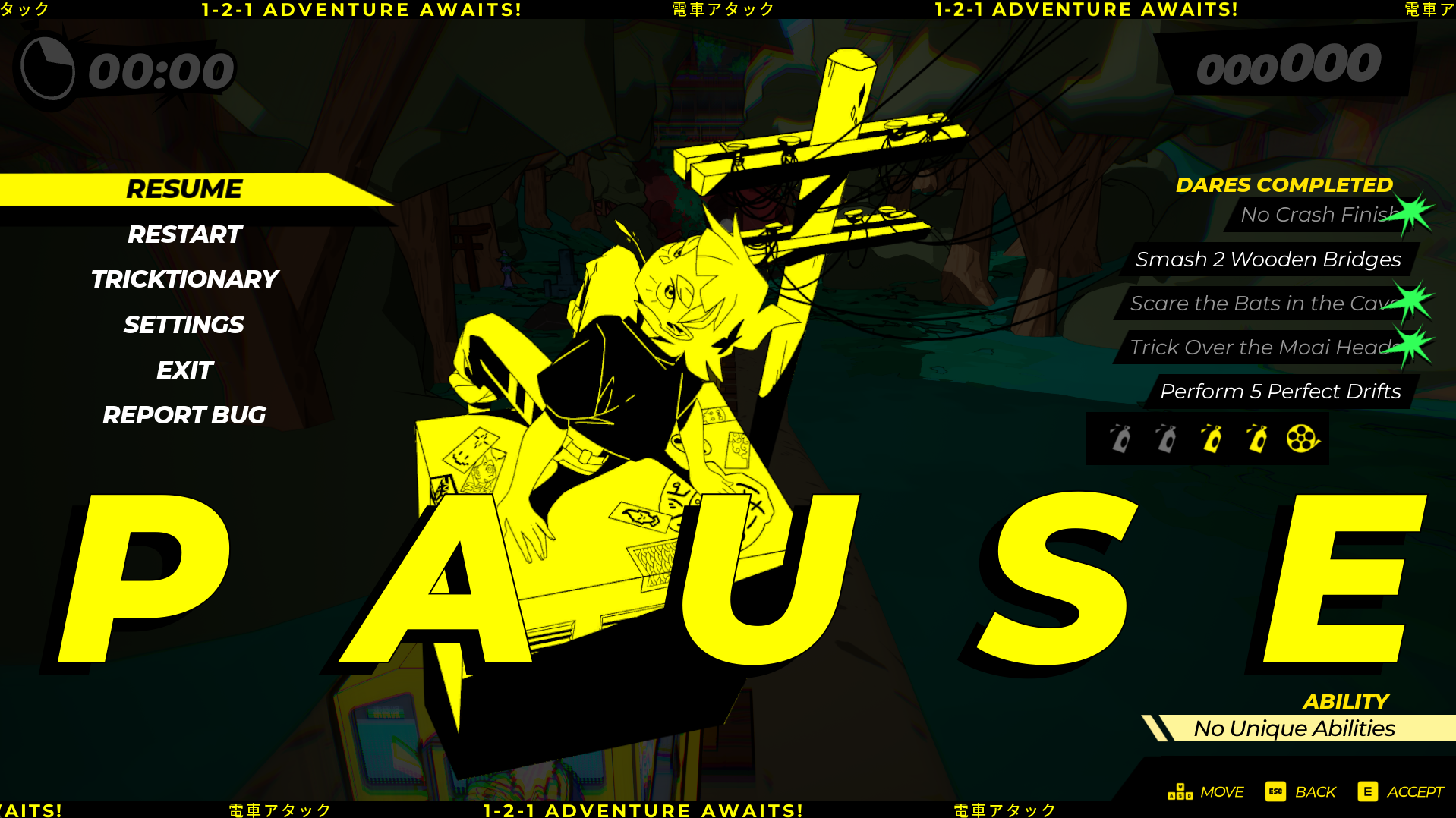
During track runs, the gameplay can be paused at any time. The pause menu shows your train’s ability (if any) as well as your progress towards any Dares (in-track objectives), so you can remind yourself of these whenever you’d like. Cutscenes cannot currently be paused, but they can be rewatched.
- Always Available Tutorials
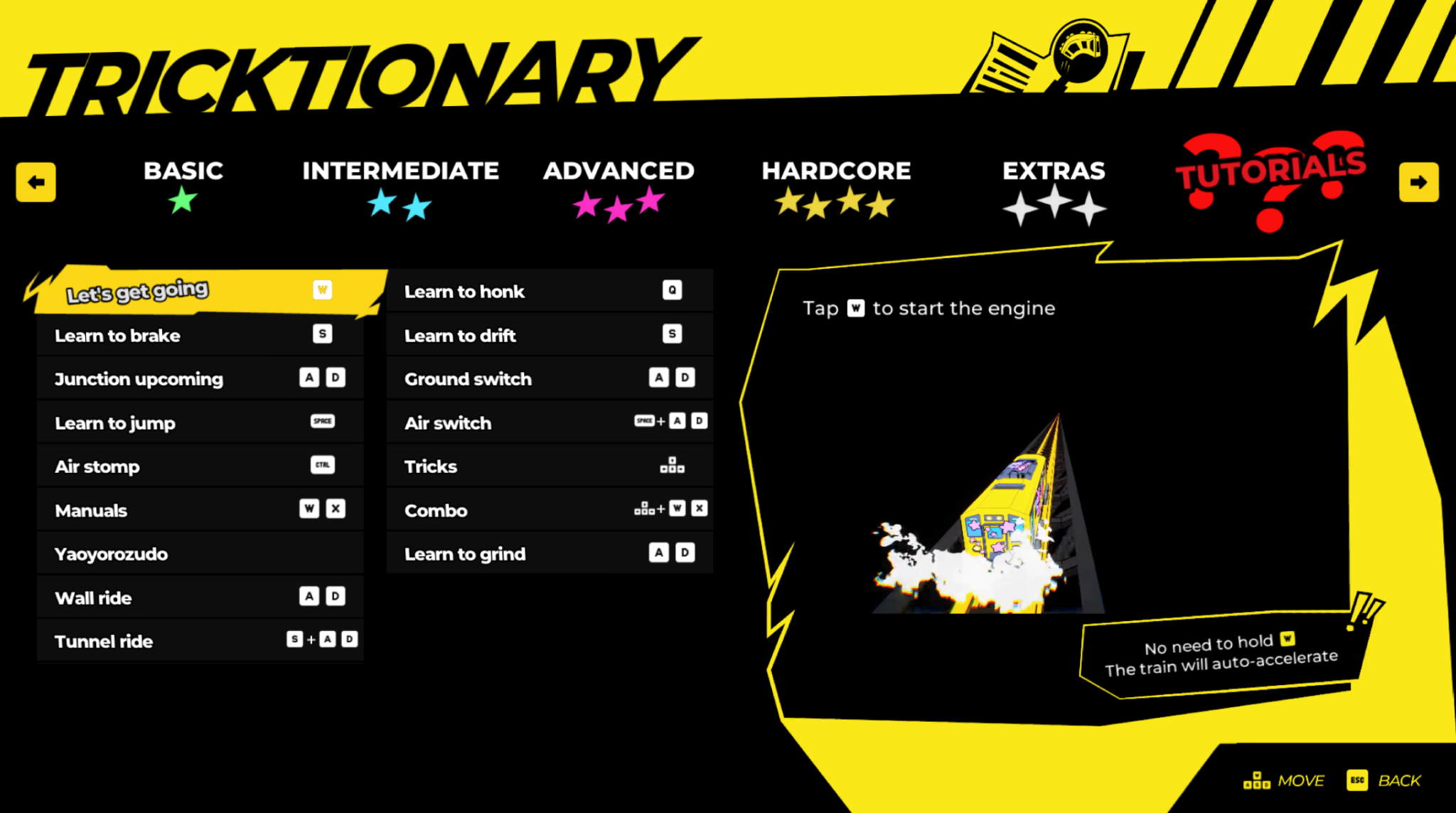
Written tutorials for every mechanic can be found in your *Tricktionary, *which is available at all times from either the pause menu (during a run) or map. The beginning levels where you are taught the core mechanics can also be replayed whenever you’d like a refresher.
- No Sound Required
No dares, objectives or level navigation requires you to be able to hear a sound cue. There is audio feedback to support what is happening on screen, but it always has a visual too.
- Getting into a level with ease
There isn’t a lot standing between you booting the game and getting into the action. Simply choose your save file -> navigate to a level on the world map -> change your train (optional) -> and press Go! There is no complicated decision-making or setup involved, meaning the game can be played in short sessions if preferred.
That’s all for now! We’re keen to hear any feedback you have, and we can’t wait for you to experience the vibrant world, characters and action of *Denshattack!*
You can check out a glimpse of gameplay in our recent First Boss Gameplay Reveal video on YouTube.
📢Keep up to date with all things Denshattack!
- Join the rebels on TikTok, X, BlueSky and Reddit!
- Join our Discord!
- Sign up to our {LINK REMOVED}Newsletter!
Mata ne/またね,
⭐ Chloe (UX Designer & UI Artist on* Denshattack!*)