Strike a Pose: Photo Mode, Custom Bowling Gear and Animated Lanes
Hi everyone!
This update is all about making your bowling alley more personal and giving you better ways to enjoy it yourself.
You can now take professional-looking screenshots with Photo Mode, roll bowling balls using a new hands-on throwing system, decorate your lanes with animated effects, and stock a wide selection of custom balls and rental shoes.
We’ve also added a laptop, security cameras, themed counters and smarter entertainment behavior for your customers.
Manage Your Alley from a Laptop
The new placeable Laptop brings the office computer’s functionality into the rest of your alley:
- Access the same management applications found on the office PC.
- Place the laptop somewhere more convenient for your workflow.
- Manage your business without repeatedly returning to the office.
The Laptop unlocks at Level 6 and costs $3,000.
Security Cameras
Security Cameras provide a new way to protect your vending-machine income:
- Cameras monitor nearby vending machines.
- Customers are less likely to steal when a vending machine is covered.
- Multiple cameras can further strengthen the deterrent.
- A placement indicator shows the area protected by each camera.
- Security Cameras can be mounted on the ceiling and painted to match your alley.
Security Cameras unlock at Level 2 and cost $750.
Photo Mode
Capture your best builds, busiest nights and most chaotic moments with the new Photo Mode.
- Take high quality screenshots with camera settings like depth of field, saturation, contrast, and more. Screenshots are directly uploaded to your Steam screenshot library.
Photo Mode can be opened from the pause menu.
Bowl It Yourself
Bowling balls now use a new hands-on throwing sequence:
- Hold a bowling ball and approach a lane to begin.
- Choose your position along the approach.
- Adjust the angle of your shot.
- Follow the lane guide to line up your throw.
- Time the power meter for the perfect release.
- Landing in the sweet spot produces a clean, powerful roll.
- Overshooting can introduce drift and an unstable spin.
Animated Lane-Floor Effects
Transform the surface of each lane with four animated designs:
- Neon Grid: A glowing arcade grid that leaves a bright magenta trail.
- Cosmic Drift: A moving starfield with an aurora following each roll.
- Underwater: Shimmering blue caustics with a luminous aqua trail.
- Magma Run: Molten rock and fiery embers beneath the lane.
Every bowling ball leaves a temporary trail through the effect as it travels toward the pins.
The classic polished wooden lane remains available for players who prefer a traditional look.
Custom Bowling Balls
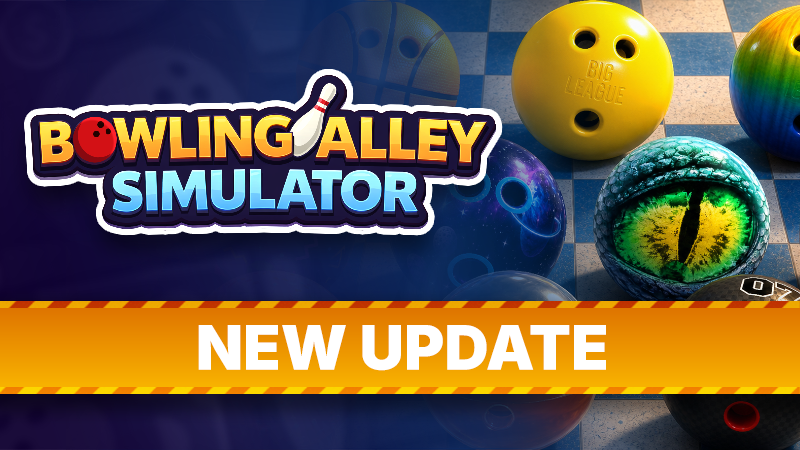
Eleven new bowling-ball designs are available:
- Arcade Ball
- Cosmic Ball
- Dragon Ball
- Flames Ball
- Ice Cream Ball
- Liquid Ball
- Racing Ball
- 8 Ball
- Basketball
- Smiley Ball
- Rainbow Ball
These designs are supplied in full boxes, allowing you to stock your ball racks with a consistent theme or mix everything together for maximum variety.
Custom Rental Shoes
Customers can now wear different rental-shoe designs:
- Air Liner Bowling Shoes
- Cosmic Bowling Shoes
- Medieval Bowling Shoes
- Forest Bowling Shoes
- Dragon Shoes
- Flower Bowling Shoes
Each design is available in the complete range of rental sizes. When a customer receives a themed pair, the selected design is visible on their character while they bowl.
New Themed Counter Pieces
Build more cohesive service areas with four new modular counter pieces:
- Forest Counter Middle
- Forest Counter End
- Medieval Counter Middle
- Medieval Counter End
These pieces can be combined into counters for your front desk, kitchen, party room or any other service area.
Lockers can now be painted as well, giving you more control over their appearance.
Improved Customer Entertainment
Customers now interact with entertainment furniture more naturally:
- Customers visibly play pool using new animations.
- Air hockey customers now animate while playing.
- Racing-cabinet customers use their driving animation.
- Customers approach, reserve and leave entertainment stations more reliably.
- Entertainment sessions are better coordinated so customers do not overlap.
- Pool, air hockey and claw-machine interactions now use a more consistent control scheme.
- Pool-table rules, ball recovery and turn handling have been improved.
- Added double down and split to Blackjack.
Kitchen and Food Improvements
- Added Kitchen Upgrade 2 for a further late-game kitchen expansion.
- Nacho Topping dispensers now visibly appear empty when depleted.
- Improved food-tray state handling.
- Doughnuts now use an appropriate eaten/garbage appearance.
- Fixed storage behavior for the Bench with Storage.
- Improved employee interactions with kitchen equipment.
- Fixed several food placement and cleanup issues.
Controller and Interface Improvements
- Reworked the virtual gamepad cursor for smoother menu navigation.
- Added a dedicated controller shortcut for removing furniture.
- Improved controller navigation across management and customization interfaces.
- Improved furniture-shop and paint-menu behavior.
- Improved interaction prompts around lane approaches and entertainment furniture.
- Updated several controls to make switching between mouse and controller more reliable.
Additional Improvements
- Updated the employee management UI to display their respective skills.
- The retro phone furniture now includes the party notes, so you can review party details anywhere in your alley.
- Improved Steam Cloud reconciliation and save reliability.
- Removed an unnecessary repeating save loop.
- Reduced unnecessary clock-event processing.
- Improved performance by disabling unused rendering work.
- Improved lane glass, decals and visual effects.
- Fixed several pool-table gameplay issues.
- Fixed lane seating positions.
- Fixed the Round Shoe Display.
- Fixed modular counter alignment and placement.
- Fixed trophy materials.
- Fixed Kevin’s character appearance.
- Improved bank behavior outside business hours.
- Added further fixes for NPC movement, parties, bowling lanes, furniture placement and customer cleanup.
- Items can now be placed on the other table in the Party Room.
- Rating can no longer drop below zero.
- Fixed customers standing inside of slot machines.
- Fixed a bug that caused extra bowling shoes to appear.
- Maintenance employees will now look for a new task if their target task is resolved early.
Thank you to everyone continuing to play, report issues and share screenshots of your alleys. With Photo Mode now available, we’re especially excited to see the businesses you’ve built.